

What-is-Localization-Testing

What is Localization Testing?

Global businesses need to adapt their software for multiple languages, cultures, and regions. Localization testing ensures that applications are not just translated but also culturally and functionally correct for each target market.

What is Localization Testing?

Localization testing verifies that an application’s language, content, formatting, and user experience are accurate and relevant for specific locales. It goes beyond translation, checking factors like date formats, currency, cultural references, and even color schemes.

Why is Localization Testing Important?

  • Better User Experience: Ensures customers feel the product is made for them.
  • Regulatory Compliance: Meets local laws and content requirements.
  • Brand Reputation: Avoids cultural errors that can harm brand perception.
  • Market Expansion: Helps software succeed in diverse regions.

What Does Localization Testing Cover?

  • Language Validation: Correct grammar, spelling, and context in translations.
  • Cultural Relevance: Symbols, icons, and images appropriate to each region.
  • Functional Accuracy: Payment systems, calendars, and address formats work locally.
  • UI & Layout Testing: Content fits and displays correctly in various languages.

Best Practices for Localization Testing

  • Involve native language experts.
  • Test on real devices with localized settings.
  • Use automation for regression checks but keep manual validation for linguistic accuracy.
  • Include edge cases like text expansion and right-to-left languages.

Conclusion

Localization testing ensures that your software truly connects with users worldwide by delivering culturally accurate and functional experiences. In 2025, it’s a key factor for businesses looking to scale globally while maintaining user trust and satisfaction.

quality-assurance-vs-software-testing

QA vs Software Testing

The terms Quality Assurance (QA) and Software Testing are often used interchangeably, but they play distinct roles in software development. Understanding the difference helps teams build better processes and deliver higher-quality products.

What is Software Testing?

Software testing focuses on finding defects in the application. Testers execute manual or automated tests to ensure the software behaves as expected. It’s typically reactive—issues are identified after development work is complete.

Key focus:

  • Functional validation
  • Regression checks
  • Performance, security, and usability testing

What is Quality Assurance (QA)?

QA is proactive and process-driven. Instead of just detecting bugs, QA ensures the entire development lifecycle is designed to prevent them. QA teams create standards, implement testing frameworks, monitor compliance, and improve overall processes.

Key focus:

  • Process improvement
  • Defining quality standards
  • Ensuring best practices across development and testing

How Are They Related?

  • QA is broad: It covers processes, policies, and overall quality goals.
  • Testing is a subset: It’s one activity within QA to verify software functionality.
    Together, QA and testing ensure products are built right and work right before reaching users.

Conclusion

In 2025, the distinction matters more than ever. QA builds the foundation for quality, while software testing ensures the product meets expectations. Organizations that invest in both deliver faster, safer, and more reliable software to their customers.

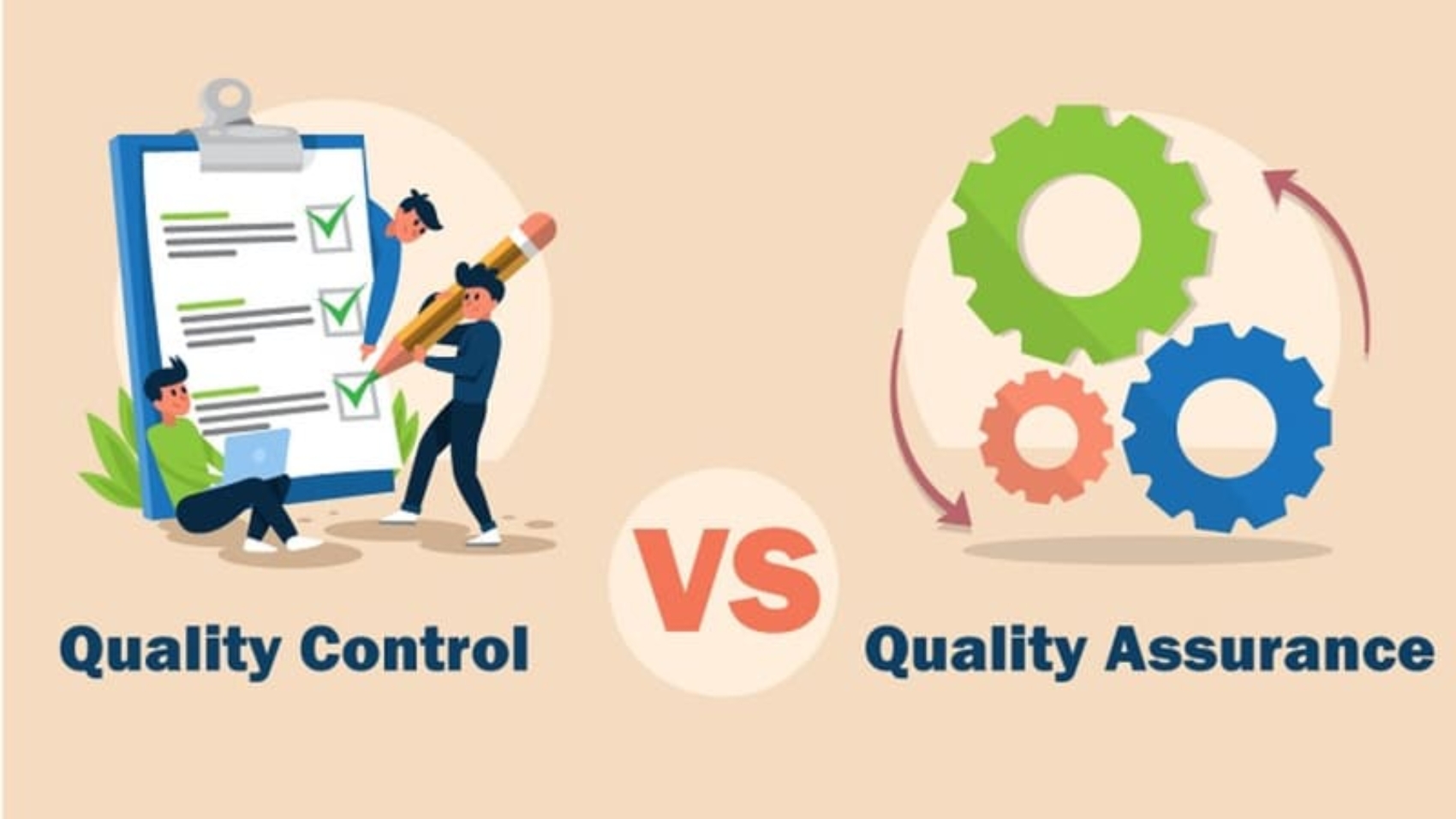
qa-vs-qc

Quality Assurance vs Quality Control

In software development, Quality Assurance (QA) and Quality Control (QC) are often confused, but they serve different purposes. Understanding the distinction is critical to building reliable, high-performing products.

What is Quality Assurance (QA)?

QA is process-oriented. It focuses on preventing defects by improving the development and testing processes. QA teams define standards, create testing strategies, and ensure best practices are followed throughout the software lifecycle.
Goal: Build the product right from the start.

What is Quality Control (QC)?

QC is product-oriented. It involves detecting defects in the final product through testing and inspections. QC teams focus on validating deliverables and ensuring they meet functional and quality expectations.
Goal: Ensure the product works right before release.

Key Differences

  • Focus: QA is proactive and preventive; QC is reactive and corrective.
  • Timing: QA runs throughout the development cycle; QC happens after development or major milestones.
  • Ownership: QA is everyone’s responsibility; QC is mainly the testing team’s responsibility.

Conclusion

QA and QC work best together. QA prevents issues by ensuring good processes, while QC catches defects that slip through. In 2025, businesses combining strong QA processes with effective QC practices deliver higher-quality, more reliable products to their customers.

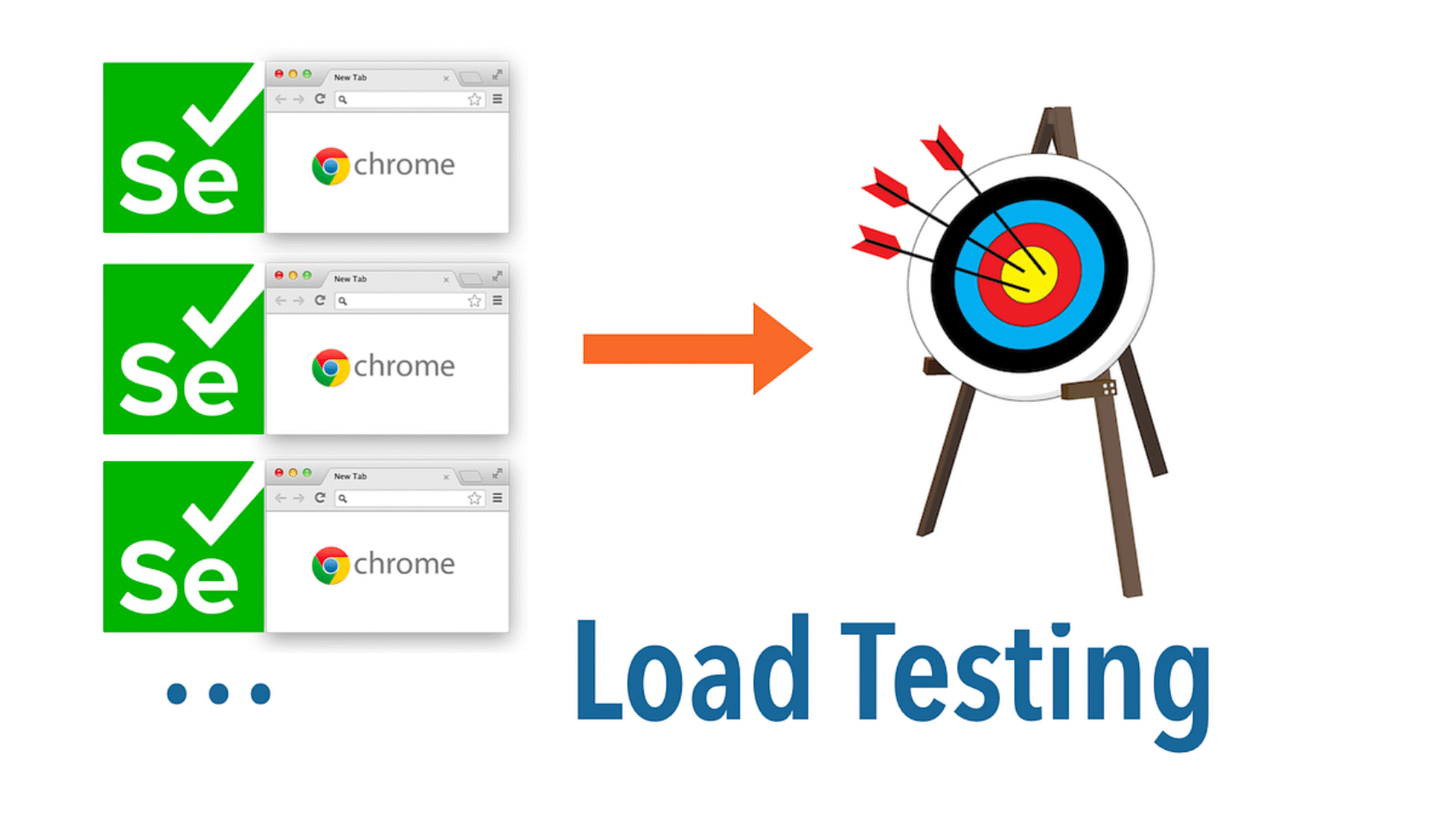
what-is-load-testing-and-why-It-matters-in-2025

What is Load Testing?

Users expect fast, reliable applications. Load testing ensures your software can handle high user demand and perform smoothly, even under stress. Without it, performance issues like slow response times or crashes can damage user trust and revenue.

What is Load Testing?

Load testing measures how an application behaves under expected and peak user loads. It identifies performance bottlenecks before they impact real users, ensuring systems stay reliable under pressure.

Why is Load Testing Important?

  • Improves User Experience: Prevents slowdowns and downtime during traffic spikes.
  • Saves Costs: Fixing performance issues early is cheaper than after production failures.
  • Validates Scalability: Ensures infrastructure can handle future growth.
  • Supports Business Continuity: Keeps critical apps running during high-demand periods.

Key Metrics in Load Testing

  • Response Time: How quickly the application responds to requests.
  • Throughput: Number of transactions handled per second.
  • Resource Utilization: CPU, memory, and network consumption under load.
  • Error Rate: Number of failed transactions or responses.

Best Practices for Load Testing

  • Test early and integrate with CI/CD pipelines.
  • Use realistic scenarios based on actual user behavior.
  • Perform baseline testing to track performance changes over time.
  • Employ popular tools like JMeter, Gatling, or LoadRunner for accuracy and scalability.

Conclusion

Load testing is essential for delivering fast, reliable, and scalable software in today’s high-demand digital world. By identifying performance limits early, businesses can ensure smooth user experiences and prevent costly downtime in 2025 and beyond.

regression-testing

What is Regression Testing

Every time new features are added, or bugs are fixed, there’s a risk of breaking existing functionality. Regression testing ensures that updates don’t negatively affect previously working features, helping teams maintain product stability and user trust.

What is Regression Testing?

Regression testing involves re-running previously executed test cases to confirm that recent changes haven’t introduced new defects. It’s commonly automated to handle large and repetitive test suites efficiently.

Why is Regression Testing Important?

  • Ensures Stability: Keeps existing functionality intact after updates.
  • Speeds Up Releases: Automated regression testing accelerates development cycles.
  • Reduces Risk: Detects unexpected issues early, avoiding production failures.
  • Supports Agile & CI/CD: Frequent updates require quick quality validation.

Types of Regression Testing

  • Unit Regression: Focuses on individual components after code changes.
  • Partial Regression: Verifies only affected modules.
  • Complete Regression: Checks the entire application for stability.

Best Practices for Regression Testing

  • Automate repetitive regression suites for efficiency.
  • Prioritize test cases based on critical functionality.
  • Continuously update tests to match new features and changes.
  • Run regression tests after every major code merge or release candidate.

Conclusion

Regression testing is key to delivering reliable and high-performing software. In 2025’s fast-paced development environment, combining automation with a strategic regression testing plan ensures stable releases and improved customer satisfaction.

test-automation-best-practices-for-2025

Test Automation Best Practices for 2025

In today’s fast-paced software industry, automation testing has become a necessity rather than an option. It speeds up releases, improves test accuracy, and reduces repetitive manual work. But simply having automation isn’t enough—you need to follow best practices to make it truly effective.

Why Test Automation Matters?

Automation testing ensures faster feedback cycles, improves quality, reduces regression effort, and supports continuous integration and delivery (CI/CD). It frees QA teams from repetitive tasks, letting them focus on exploratory and user-focused testing.

Best Practices for Test Automation Success

1. Choose the Right Test Cases to Automate

Not all tests are ideal for automation. Focus on repetitive, stable, and high-risk scenarios like regression tests, API validations, and performance checks. Leave complex exploratory tests for manual execution.

2. Use the Right Tools and Frameworks

Popular tools like Selenium, Cypress, Playwright, and Appium offer flexibility for different platforms. Choose a framework based on your application type (web, mobile, API) and team expertise.

3. Build Maintainable Test Scripts

Write modular, reusable, and well-documented scripts. Follow coding standards and use Page Object Model (POM) or similar design patterns to simplify maintenance as applications evolve.

4. Integrate with CI/CD

Automate test execution as part of your development pipeline. This ensures every code change is validated early, reducing production bugs and improving release confidence.

5. Focus on Test Data & Environments

Reliable test data and stable environments are critical. Use data-driven approaches and ensure environment parity with production for accurate results.

6. Regularly Review & Optimize

Automation isn’t a one-time effort. Continuously monitor test performance, remove obsolete scripts, and update them to match application changes.

Common Pitfalls to Avoid

  • Automating every test (wastes resources and increases maintenance cost)
  • Ignoring manual testing altogether (exploratory and usability testing are still vital)
  • Skipping test reviews and documentation

Conclusion

Test automation, when done right, reduces costs, accelerates releases, and improves software quality. By focusing on the right test cases, choosing suitable tools, integrating with CI/CD, and continuously optimizing scripts, businesses can unlock the full potential of automation in 2025 and beyond.

demo-attachment-2806-big-4-img

How to Develop an Automated Testing Strategy

Automation testing is no longer optional—it’s essential for teams aiming to release faster and with higher quality. But automation only delivers real value when it’s backed by a well-thought-out strategy.

my friend — but it is too much for my strength — I sink under the weight of the splendor of these visions! A wonderful serenity has taken possession of my entire soul, like these sweet mornings of spring which I enjoy with my whole heart. I am alone, and feel the charm of existence in this spot, which was created for the bliss of souls like mine.

Why an Automation Strategy Matters?

  • Saves Time & Costs: Automating repetitive tasks frees QA teams for exploratory and usability testing.
  • Ensures Consistency: Automated scripts produce repeatable and reliable results.
  • Supports Continuous Delivery: Integrates seamlessly with CI/CD pipelines for faster releases.

Steps to Build an Effective Automated Testing Strategy

1. Define Goals and Scope

Identify what you want to achieve—faster regression testing, improved coverage, or continuous feedback. Set measurable KPIs like reduced cycle time or lower defect leakage.

2. Choose the Right Tests to Automate

Prioritize stable, repetitive, high-value test cases. Focus on regression, smoke tests, API validation, and performance checks while leaving exploratory testing for manual QA.

3. Select Tools and Frameworks

Choose automation tools suited to your tech stack—Selenium, Cypress, Playwright, Appium, or REST Assured, depending on whether you’re testing web, mobile, or APIs.

4. Design Scalable Test Architecture

Follow coding best practices like the Page Object Model (POM), use modular and reusable scripts, and maintain a structured repository to reduce future maintenance costs.

5.Integrate with CI/CD Pipelines

Automate test runs with every code commit. Use tools like Jenkins, GitHub Actions, or GitLab CI to enable continuous feedback and quick defect detection.

6. Plan for Test Data and Environments

Use production-like environments and reliable, reusable test data sets to improve accuracy and stability.

7. Monitor, Review, and Improve

Regularly review test performance, update scripts for application changes, and remove obsolete cases to keep your automation suite efficient.

Conclusion

A well-designed automation testing strategy enhances software quality, accelerates delivery, and reduces costs. By setting clear goals, picking the right tests, selecting appropriate tools, and continuously optimizing, teams can unlock the full potential of automation in 2025 and beyond.

demo-attachment-2805-big-2-img

Ecommerce Testing Guide

Ecommerce has become the backbone of modern retail. With thousands of daily transactions and diverse devices, thorough testing is crucial to ensure smooth functionality, security, and user experience. A small bug can mean lost revenue and unhappy customers.

What is Ecommerce Testing?

Ecommerce testing validates every aspect of an online store—from product search and checkout to payment gateways and performance under load. It ensures the website or mobile app works seamlessly for every customer, every time.

Key Areas of Ecommerce Testing

1. Functional Testing

Identify what you want to achieve—faster regression testing, improved coverage, or continuous feedback. Set measurable KPIs like reduced cycle time or lower defect leakage.

2. Payment Gateway Testing

Ensures secure and accurate transactions across credit cards, wallets, and other payment methods.

3. Security Testing

Protects customer data from breaches and ensures compliance with PCI DSS and other regulations.

4. Performance Testing

Validates the site’s stability during high-traffic events like sales or festive seasons.

5. Compatibility Testing

Ensures the platform works across browsers, devices, and operating systems.

Best Practices for Ecommerce Testing

  • Automate repetitive regression tests for faster releases.
  • Test under realistic load conditions before peak shopping seasons.
  • Focus on mobile-first as a majority of customers shop via phones.
  • Use real payment scenarios to validate end-to-end purchase flow.

Conclusion

A robust ecommerce testing strategy helps deliver a seamless, secure, and high-performing shopping experience. In 2025, businesses that prioritize testing will gain customer trust, reduce downtime, and stay ahead in a competitive online market.

demo-attachment-2804-big-3-img

Building an Effective Mobile App Testing Strategy

Mobile apps have become an essential part of our daily lives, and users expect flawless performance, security, and speed. With thousands of apps competing for attention, even minor glitches can impact user retention. That’s why having a solid mobile app testing strategy is critical in 2025.

Why Mobile App Testing Matters?

A well-tested app offers:

  • Seamless user experience across devices and OS versions
  • Stronger security to protect sensitive data
  • Higher ratings and reviews on app stores
  • Faster releases with fewer production bugs

Key Elements of a Winning Mobile App Testing Strategy

1. Define Clear Goals & Requirements

Understand the app’s purpose, target audience, supported devices, and success metrics. Clear goals guide your testing scope and priorities.

2. Choose the Right Testing Types

A balanced testing approach includes:

  • Functional Testing – Ensures core features work as expected
  • Performance Testing – Measures speed and responsiveness under load
  • Security Testing – Identifies vulnerabilities and prevents data leaks
  • Usability Testing – Ensures intuitive navigation and accessibility

3. Select Testing Tools & Frameworks

Tools like Appium, Espresso, or XCUITest streamline automation, while services like BrowserStack enable device-cloud testing without owning every physical device.

4. Device & OS Coverage

Mobile ecosystems are fragmented. Test across multiple devices, screen sizes, and OS versions to guarantee consistent performance for all users.

5. Combine Manual & Automated Testing

Manual testing ensures the best user experience, while automation accelerates repetitive tasks like regression testing. Combining both maximizes coverage and efficiency.

6. Continuous Testing & Integration

Integrate testing into CI/CD pipelines to catch bugs early and deploy faster, ensuring quality throughout the development cycle.

Best Practices for 2025

  • Test on Real Devices alongside simulators for better accuracy
  • Prioritize Security as mobile threats grow
  • Leverage Crowd Testing for real-world insights from global users
  • Monitor Post-Release for performance and crash analytics

Conclusion

A strong mobile app testing strategy ensures a bug-free, secure, and user-friendly app experience. With the right mix of tools, device coverage, and continuous testing, businesses can reduce risks and improve app store success.

demo-attachment-2803-big-1-img

How to Write Test Cases Effectively

Well-written test cases are the foundation of efficient testing. They help QA teams validate functionality, ensure coverage, and make defect detection faster and easier.

What is a Test Case?

A test case is a documented set of steps, inputs, and expected results designed to verify that a specific feature of the software works as intended.

Key Elements of a Good Test Case

  • Test Case ID: Unique identifier for tracking.
  • Title/Description: Brief summary of what’s being tested.
  • Preconditions: Requirements to be met before testing.
  • Test Steps: Detailed, actionable steps for execution.
  • Expected Result: Clear outcome for validation.
  • Postconditions & Status: Notes and result (pass/fail).

Best Practices for Writing Test Cases

  • Write clear and concise steps to avoid confusion.
  • Cover both positive and negative scenarios.
  • Use realistic test data for better accuracy.
  • Keep them modular and reusable to reduce maintenance effort.
  • Regularly review and update as application features evolve.

Why Well-Written Test Cases Matter?

They improve collaboration across QA teams, help onboard new testers quickly, and reduce the risk of missed defects.

Conclusion

In 2025’s fast-paced development cycles, detailed yet maintainable test cases are critical for delivering reliable software. Combining strong documentation practices with automation where possible ensures both efficiency and quality.